How to Install RestedXP Guides on WoW Forever, Step by Step
- Add-on setup
- 7 steps
- Windows and Mac
Here is how to install the RestedXP guides on WoW Forever, step by step, from the shop to the arrow in game. Stay for the last part: updating the add-on does not update your guides.
What you need
WoW Forever installed
A RestedXP account (you log in to download your guides)
The add-on is free up to level 20
The full level 1 to 60 guides are the paid part

Quick info
- Steps
- 7
- System
- Windows and Mac
- Folder
- _forever_ > Interface > AddOns
- Price
- Add-on free up to level 20, full 1 to 60 guides paid
- Video
- 3:10
On this page
Install RestedXP on WoW Forever in 7 steps
Pick your guides. Open the RestedXP shop with the link on this page, then go to Leveling Guides, Forever. With this link, 10% comes off the guides automatically, no code needed.
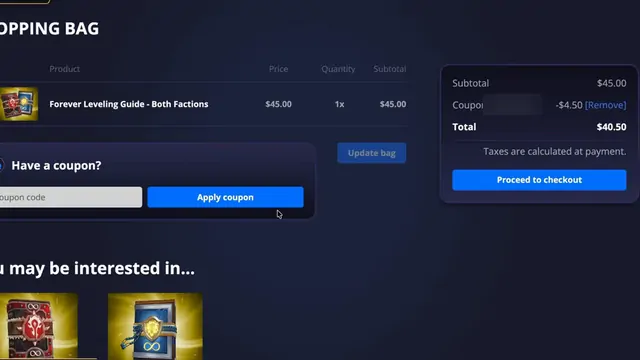
Buy them. Click Add to Cart. In your cart the 10% is already taken off. Click Proceed to checkout and pay as usual.
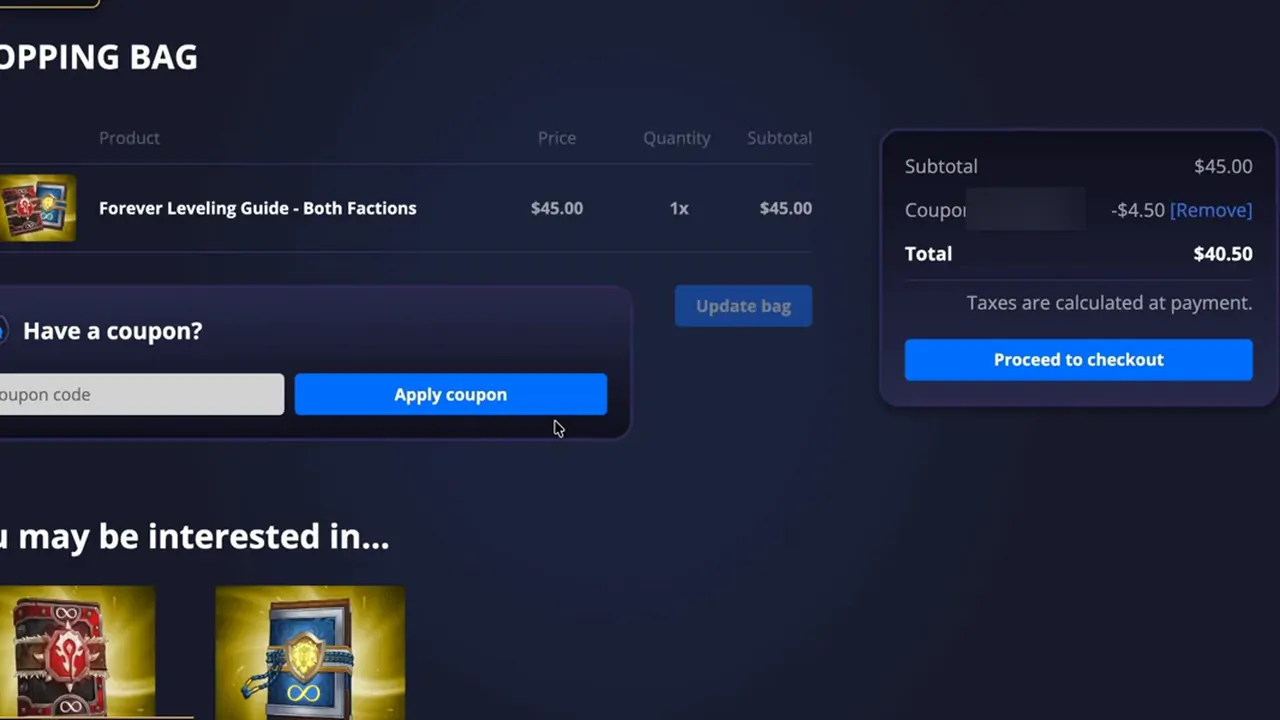
The RestedXP cart: the 10% discount is already applied, nothing to type. Get the guide file. On the confirmation page, click Download Guides and log in. Under your guides, click Export. Read the notice, pick the same language as your game, then Accept and Download. You get a text file: keep it, you paste it in game later.
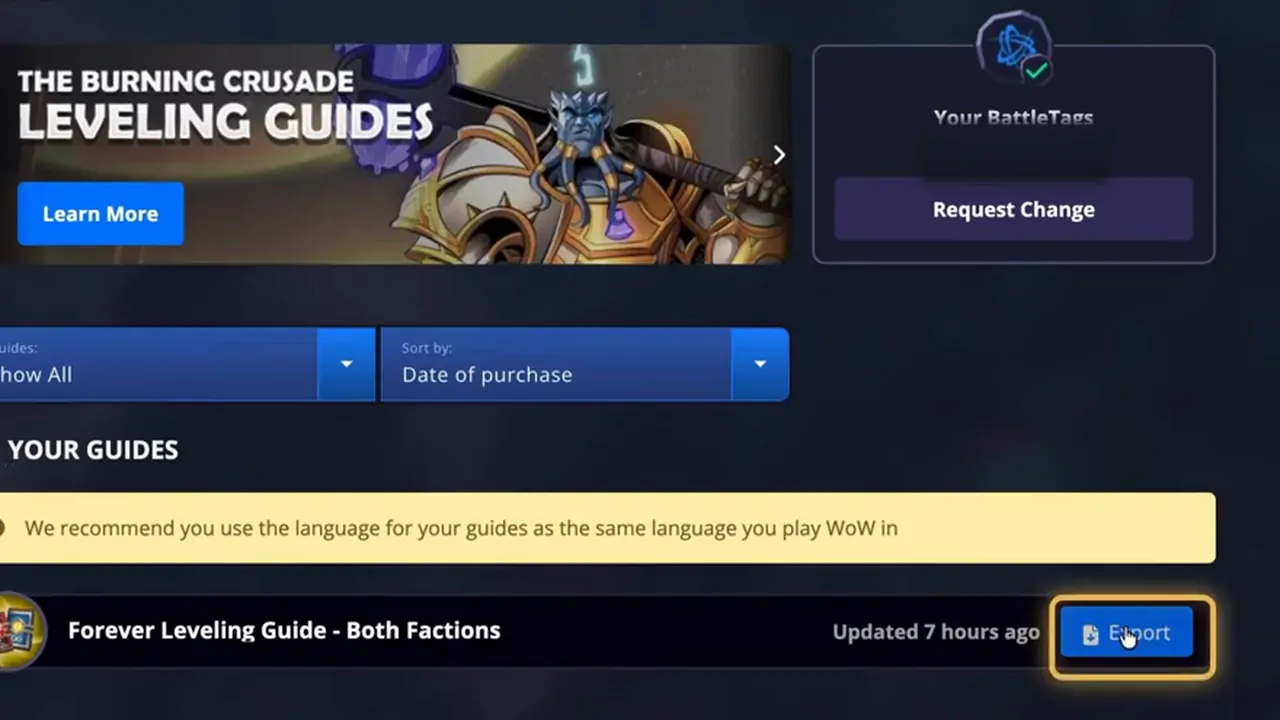
In your RestedXP account, under Your Guides, click Export to get the guide file. Install the add-on. On the shop, click the blue Download RestedXP button, top right. You get a zip called RXP Guides. Unzip it and drag the RXP Guides folder into World of Warcraft > _forever_ > Interface > AddOns.
Launch the game. In the AddOns list, check that RestedXP Guide is turned on, then click Enter World.
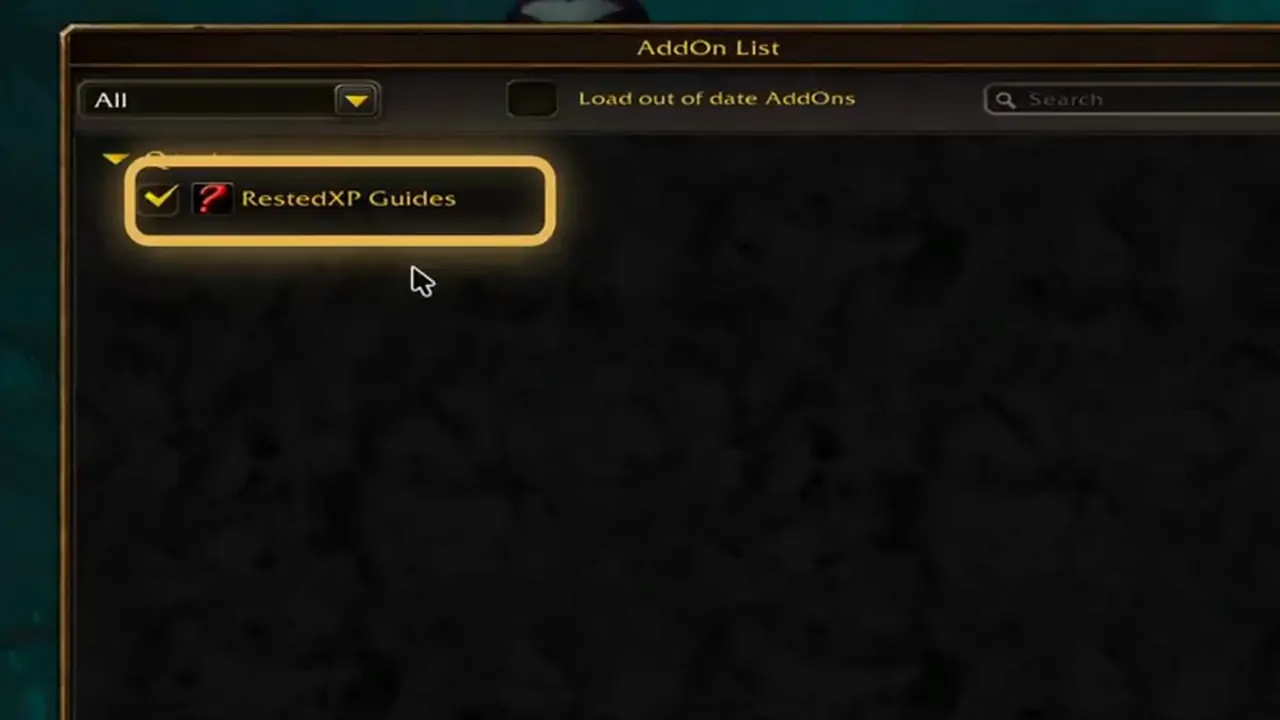
Before Enter World, check that RestedXP Guides is turned on in the AddOns list. Import the guide. In the RestedXP window, click the smallest gear icon, then Import Guide. Open your text file, press Ctrl+A to select everything and Ctrl+C to copy (Cmd on a Mac). Back in game, paste with Ctrl+V and click Import. When it says Guides Loaded Successfully, click Reload.
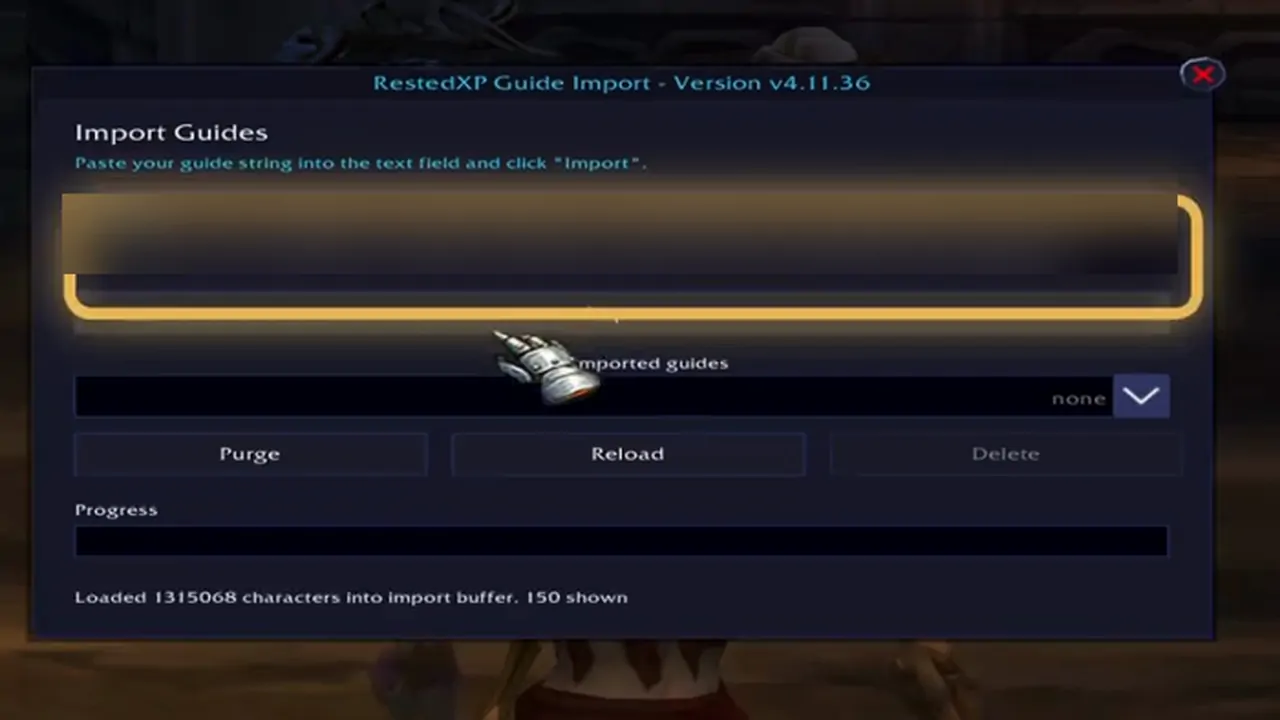
The RestedXP import window: paste the content of your guide file, then Import. Pick your guide. Click the gear again. Under Available Guides, choose the RestedXP Forever guide, then your starting zone. You now see your quests, your active target and the arrow. Follow it.
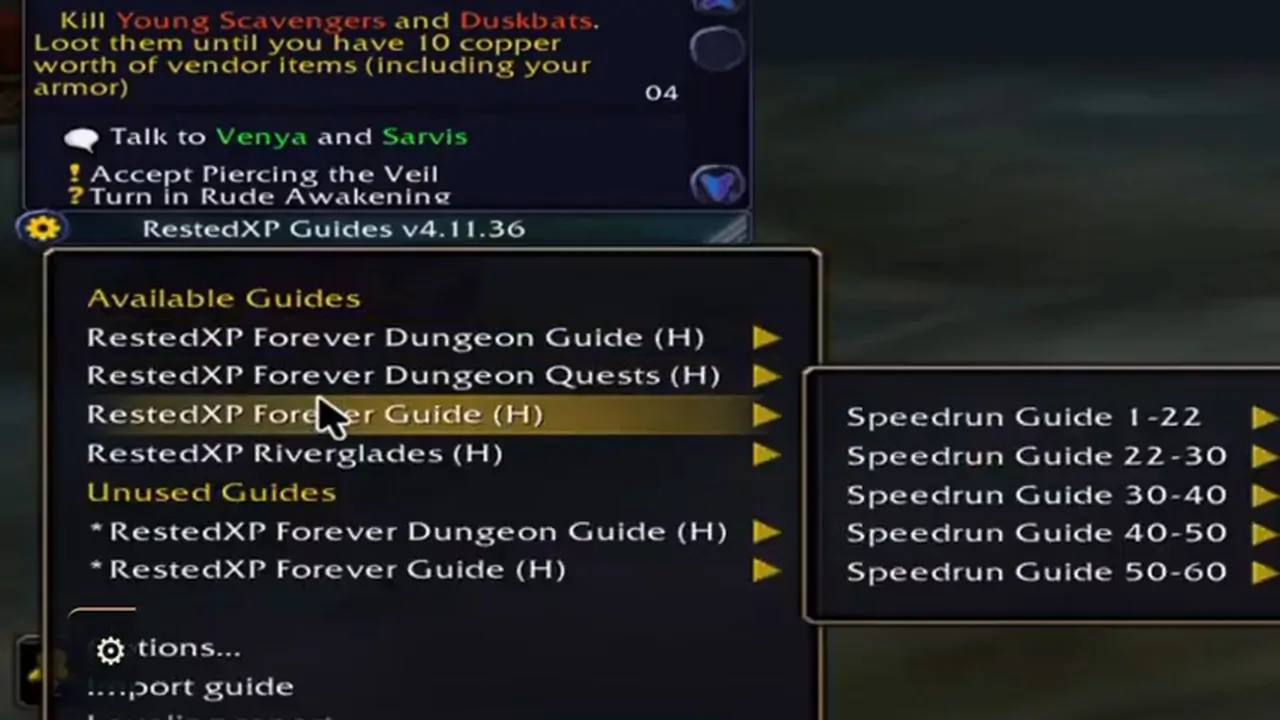
Gear icon, Available Guides: pick the RestedXP Forever guide, then your starting zone.
Use the Forever folder
Each version of WoW has its own folder. If the add-on does not show up in game, check that you put RXP Guides in _forever_ > Interface > AddOns, not in another version's folder.
There is no activation step: once the guide is imported, it works. RestedXP has a lot of settings, so take a few minutes to look through the options and set it up the way you like.
The update step most players miss
Updating the add-on does not update your guides. After an add-on update everything says it is up to date, but you are still running the old routes, and the Forever routes changed a lot in November 2026.
Export again. After every add-on update, go back to your RestedXP account and click Export on your guides.
Import again. In game: gear, Import Guide, paste, Import, Reload.
Quick recap
Pick your guides, buy them, export the guide file, install the add-on in the Forever folder, enter the world, import the guide and follow the arrow. After every add-on update, export and import your guides again.
Looking for a discount first? See the RestedXP promo code guide. Want to know what else speeds up your leveling? Read how to level up fast.
Frequently asked questions
Is RestedXP free on WoW Forever?
The add-on is free up to level 20. The full level 1 to 60 guides are the paid part.
Where is the AddOns folder for WoW Forever?
In your World of Warcraft folder, under _forever_ > Interface > AddOns. Each version of WoW has its own folder, so make sure it is the Forever one.
Do I need a promo code for RestedXP?
No. The link on this page takes 10% off the guides automatically, with nothing to type.
Why is my RestedXP guide showing old routes?
Updating the add-on does not update your guides. Export them again from your RestedXP account and import them in game.
Related guides
- Discount
- -10%
- No code needed
RestedXP Promo Code and Discount: 10% Off the WoW Forever Guides
No code to type: the link takes 10% off the RestedXP guides automatically. How the discount works and what the guides do in game.
Updated:
- Leveling guide
- Level 1 to 60
- Alliance and Horde
How to Level Up Fast in WoW Forever: Best Class, Race and Traps to Avoid
The best leveling class by the data, racials that save time, rested XP, camping, XP food, Legacy points and the traps that cost you hours.
Updated:
- Quest chain
- Alliance route
- Level 14+
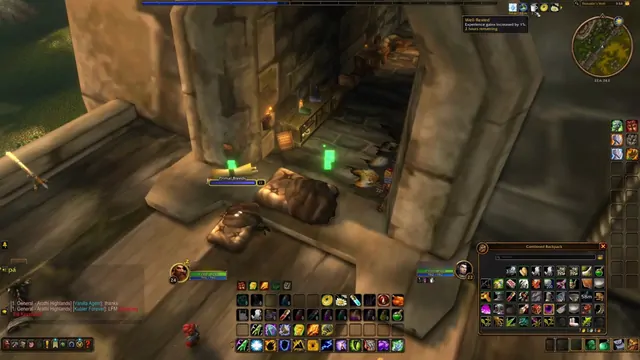
Cozy Sleeping Bag in WoW Forever: Full Alliance Quest Route for +3% XP
Six stops from Westfall to Thoradin's Wall, no combat, from level 14. Coordinates, Horde checkpoints and how to stack +3% XP.
Updated:
Updated: · Markdown version